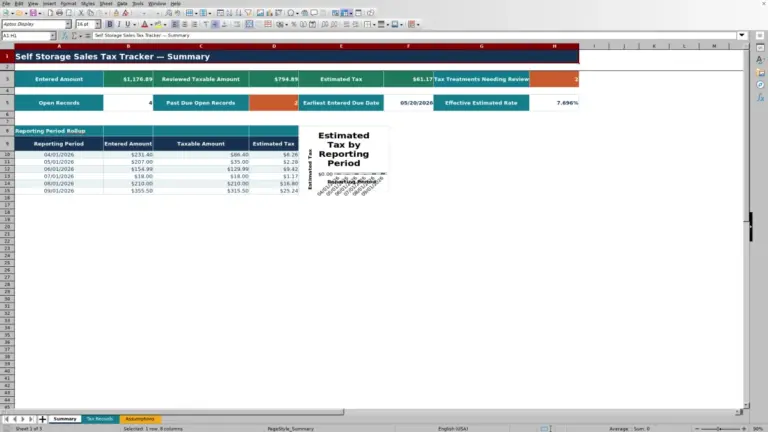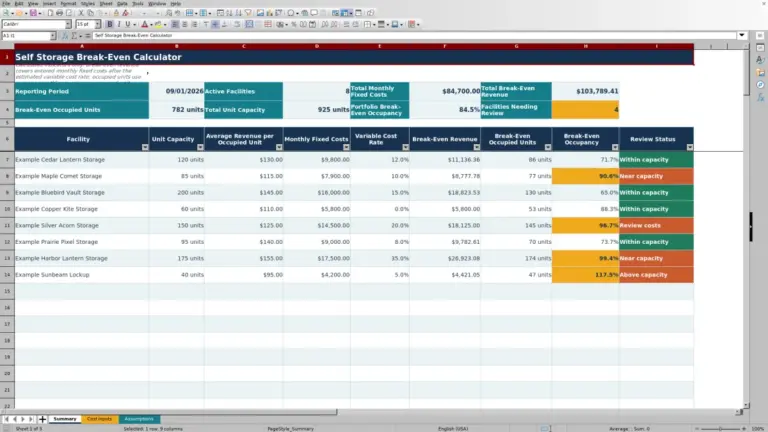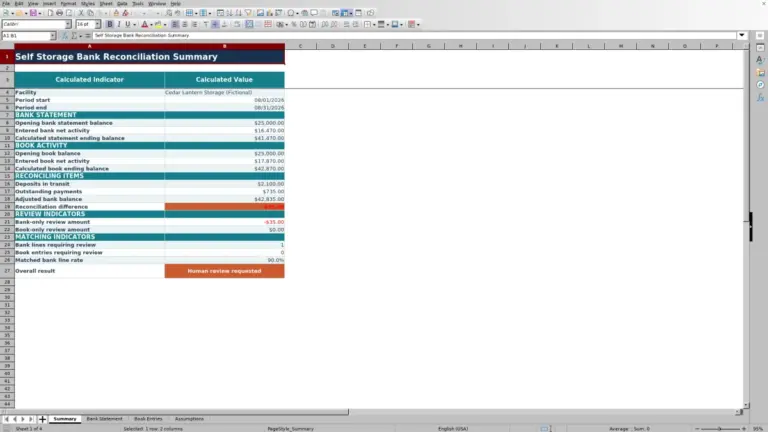
This self storage pro forma Excel workbook is an XLSX model for projecting a facility’s monthly occupancy, rental revenue, ancillary income, operating expenses, net operating income, debt service, and cash flow.
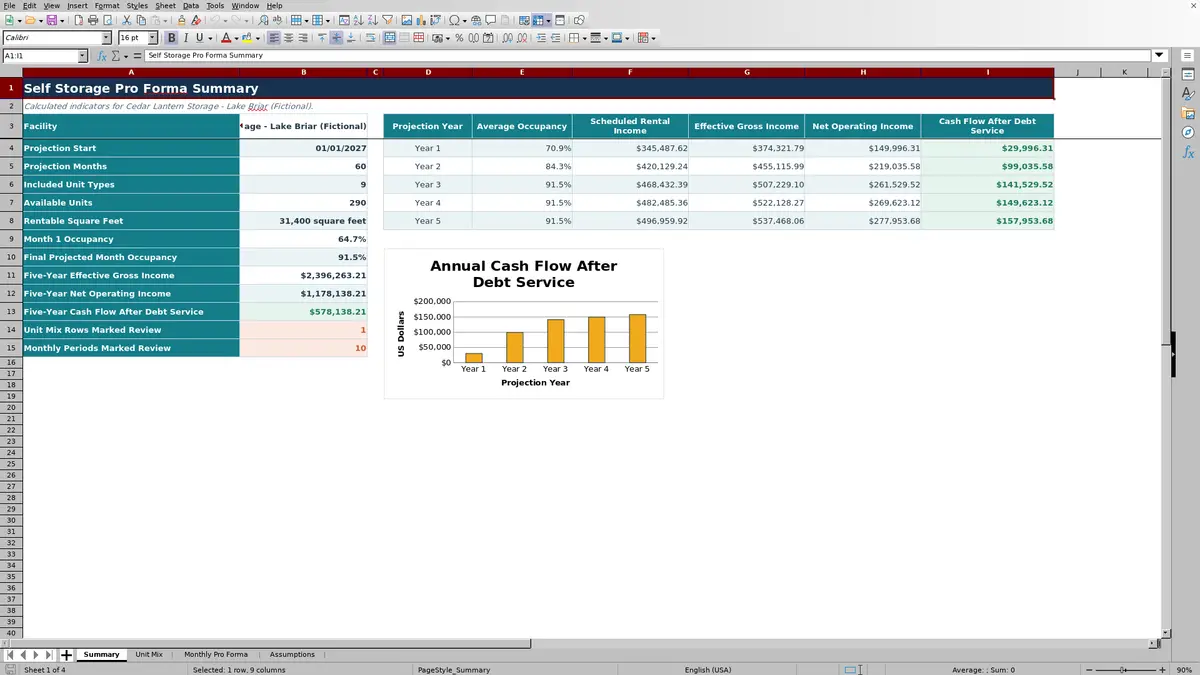
Editable assumptions and unit-level inputs feed up to 60 monthly periods, while the summary presents annual occupancy and financial results for as many as five projection years. The included facility and values are fictional examples that can be replaced with scenario-specific information.
How this template can help
- Connects unit counts, rental rates, and occupancy assumptions directly to monthly revenue and cash flow.
- Provides a month-by-month view of lease-up, income growth, operating expenses, NOI, and debt service.
- Separates editable scenario inputs from calculated monthly and annual outputs.
- Flags periods with low occupancy, low cash flow, or no included units for further investigation.
What the workbook contains
How to get started
Step 1: Set the projection assumptions
Open the Assumptions sheet and enter the facility label, start date, and a projection length from 12 to 60 months. Then set rent growth, the occupancy ramp, ancillary and other income, operating expenses, replacement reserves, debt service, and alert thresholds.
Step 2: Enter the unit mix
On the Unit Mix sheet, enter each unit type’s size, unit count, monthly rent, starting occupancy, and stabilized occupancy. Assign an owner if useful, then mark each row Included, Excluded, or Review. Only included rows matching the selected facility feed the monthly projection.
Step 3: Check the monthly calculations
Use the Monthly Pro Forma sheet to examine available units, occupied units, occupancy, gross potential rent, scheduled rental income, ancillary income, other income, effective gross income, operating expenses, NOI, debt service, and cash flow after debt service.
Step 4: Interpret the summary and status flags
Compare annual occupancy and financial totals on the Summary sheet. Investigate unit-mix rows or monthly periods marked Review, and revise the related inputs when a status results from missing units, occupancy below the selected threshold, or cash flow below the selected threshold.
How the Self Storage Pro Forma Connects Operations and Finance
The workbook begins with the facility’s unit mix. Included rows supply unit counts, monthly rents, starting occupancy, and stabilized occupancy to the monthly schedule. A shared ramp assumption moves each unit type toward stabilized occupancy, while annual growth assumptions adjust rents, ancillary income, and fixed operating expenses over time.
The monthly schedule calculates gross potential rent, scheduled rental income, ancillary income, other income, and effective gross income. It then deducts variable operating expenses, fixed operating expenses, and replacement reserves to calculate NOI before subtracting monthly debt service.
Worked Self Storage Pro Forma Scenario
Input: Assume a fictional scenario contains one included row with 40 units renting for $89 per month, 65% starting occupancy, 92% stabilized occupancy, a 24-month occupancy ramp, $9.50 of ancillary income per occupied unit, and other income equal to 1.5% of scheduled rent.
Result: In month one, the row produces 40 available units, 26 occupied units, $3,560 of gross potential rent, and $2,314 of scheduled rental income. Ancillary income is $247, other income is $34.71, and effective gross income is $2,595.71 before operating expenses.
Interpretation: The difference between gross potential rent and scheduled rental income reflects the 65% starting occupancy. Later results also respond to the occupancy ramp and annual growth assumptions.
Next decision: Test a supportable ramp period and rent-growth rate, then compare the resulting facility-level NOI and cash flow after debt service with operating requirements.
Reading Monthly and Annual Outputs
Monthly occupancy equals modeled occupied units divided by available included units. Effective gross income combines scheduled rental income, ancillary income, and other income. NOI is effective gross income less variable operating expenses, fixed operating expenses, and the replacement reserve. Cash flow after debt service equals NOI less the monthly debt-service assumption.
The Summary sheet groups active monthly periods into as many as five projection years. It reports average occupancy and annual totals for scheduled rental income, effective gross income, NOI, and cash flow after debt service.
Common Errors and Solutions
- Blank monthly results: Rows after the selected projection period are intentionally blank. If expected periods are missing, confirm that Projection Months is between 12 and 60 and that the start date is valid.
- Missing or zero units: Confirm that unit rows match the facility label on the Assumptions sheet and are marked Included. Excluded and Review rows do not contribute to the projection.
- Unexpected occupancy: Check that starting and stabilized occupancy values are entered as percentages and that the occupancy-ramp period reflects the intended timing.
- Negative cash flow is not necessarily a formula error. Check scheduled income, expense, reserve, and debt-service assumptions before changing the scenario.
Model Limits
This workbook is not a full acquisition or valuation model. It does not calculate purchase price, sale proceeds, capitalization-based value, loan amortization, internal rate of return, or equity multiple.
Debt service is entered as one monthly assumption rather than calculated from principal, interest rate, and amortization terms. The monthly schedule has 100 prepared formula rows, but the validated projection input activates no more than 60 months.
Comparison with a blank spreadsheet
Use the prepared workbook when its verified fields and calculations fit the facility task. Start with a blank spreadsheet when you need a different model and can build and test every field and formula.
| Method | Setup | Calculations and review | Practical fit |
|---|---|---|---|
| This Excel workbook | Use the prepared structure in the validated file | Review the documented calculations and results | Local editable workflow supported by the workbook |
| Blank spreadsheet | Create the structure from scratch | Build and test every formula and control | A different model designed for the facility |
Using Scenario Changes to Support the Next Operating Decision
Change one group of assumptions at a time so the effect is easier to trace. For example, adjust starting occupancy and the ramp period before changing rents or expenses, then compare the resulting occupancy, effective gross income, NOI, and cash flow after debt service.
Status flags identify periods that cross the selected occupancy or cash-flow thresholds. They indicate where to inspect the assumptions; they do not determine whether a scenario should be accepted.
Frequently asked questions
How many months can the self storage pro forma project?
The validated projection input accepts 12 to 60 months, allowing up to five years of active monthly results.
Can different unit types use different occupancy assumptions?
Yes. Each unit-mix row has separate starting and stabilized occupancy inputs. The workbook applies the shared occupancy-ramp period to those row-level values.
Does the Excel workbook include ancillary and other income?
Yes. Ancillary income is calculated per occupied unit and can grow annually. Other income is calculated as a percentage of scheduled rental income.
How does the workbook calculate NOI and cash flow after debt service?
NOI equals effective gross income less variable operating expenses, fixed operating expenses, and the replacement reserve. Cash flow after debt service equals NOI less the monthly debt-service assumption.
Does this self storage pro forma calculate property value or investment returns?
No. The workbook does not calculate property value, sale proceeds, loan amortization, internal rate of return, or equity multiple. Its scope is the monthly operating projection and related annual summary.
About the editors

Casey MonroeFacility operations editor

Elliot ParkFinance and performance editor