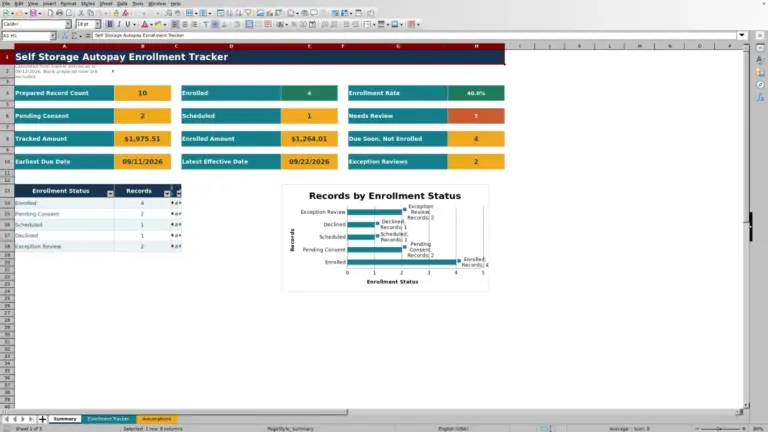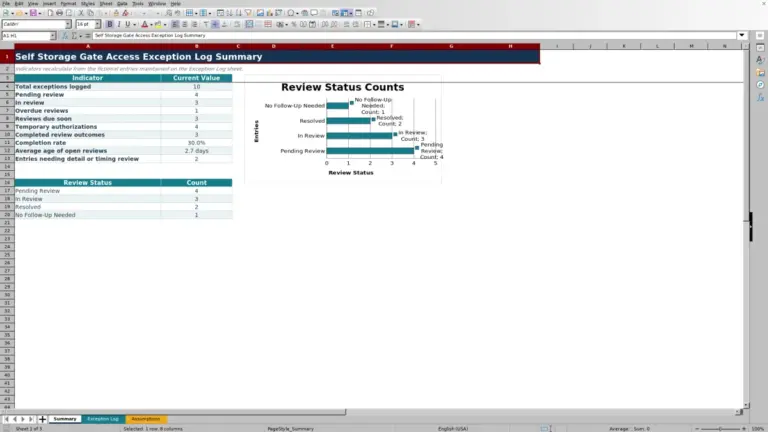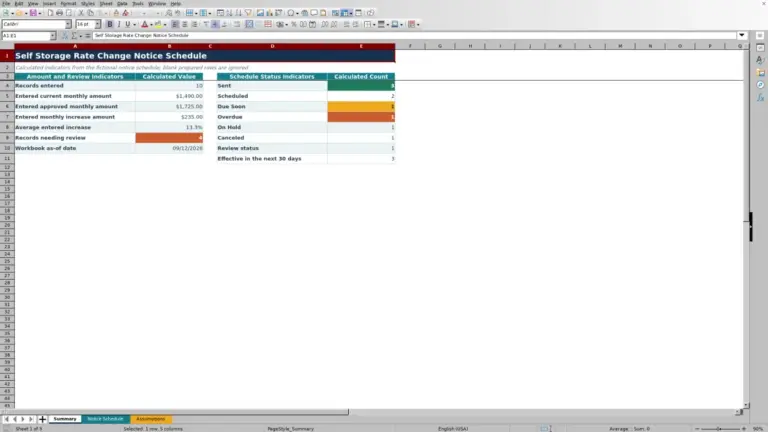
This self storage unit inventory spreadsheet is an Excel workbook for maintaining a master record of unit numbers, physical locations, dimensions, features, operating statuses, standard monthly rates, inventory owners, and review dates.
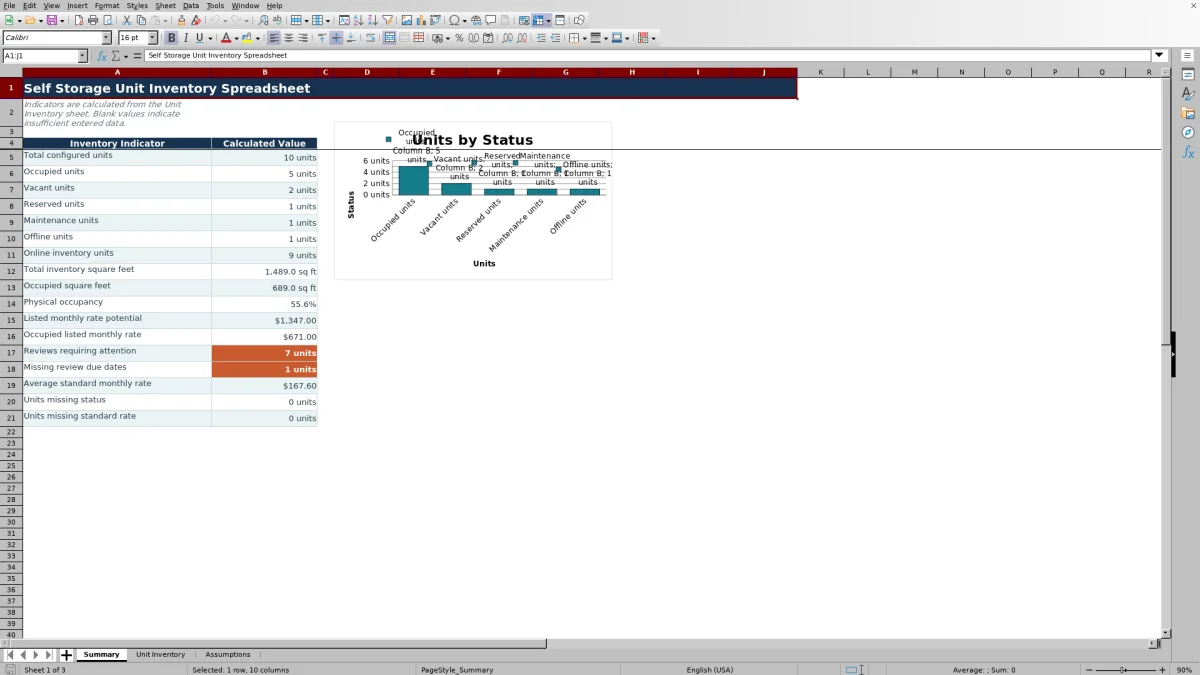
The XLSX includes a Unit Inventory sheet with 120 record rows, a Summary sheet with calculated operating indicators and a status chart, and an Assumptions sheet for editable limits and drop-down options. Formulas calculate square footage, rate per square foot, and date-based review flags.
How this template can help
- Keep unit locations, dimensions, features, statuses, standard rates, owners, and review dates in one structured inventory.
- Standardize recurring entries with drop-down options for facilities, floors, unit types, climate control, door types, statuses, and inventory owners.
- Monitor configured units, physical occupancy, inventory square footage, listed monthly rates, missing data, and review deadlines from the Summary sheet.
- Identify past-due, upcoming, scheduled, and missing review dates without calculating each deadline separately.
What the workbook contains
How to get started
1. Configure the assumptions
Replace the fictional facility and inventory owner options, then check the review warning window and the permitted dimension, rate, and date ranges. The warning window begins at 30 days but can be changed.
2. Enter the unit records
On the Unit Inventory sheet, use the pale yellow cells to enter one unit per row. Record its unit number, physical location, dimensions, features, status, standard monthly rate, owner, review due date, and notes.
3. Check the calculated fields
Confirm that Size, Rate per Sq Ft, and Review Flag display the expected results. Blank calculated cells usually indicate that a required unit number, dimension, rate, or date has not been entered in the expected format.
4. Use filters and summary indicators
Filter the inventory by facility, location, feature, status, owner, or review condition. Then use the Summary sheet to evaluate inventory counts, square footage, physical occupancy, listed rates, review attention, and missing status or rate entries.
What the self-storage inventory records
The Unit Inventory sheet serves as a unit-level master record. Each row can capture the facility, unit number, building or area, floor, width, length, unit type, climate-control selection, door type, status, standard monthly rate, inventory owner, review due date, and notes.
Width and length produce calculated square footage. The standard monthly rate and square footage produce rate per square foot. The review due date is compared with the current date and the warning window on the Assumptions sheet.
Worked fictional unit scenario
Input: A fictional manager enters unit B204 as 10 feet wide by 15 feet long, assigns a standard monthly rate of $189, selects Vacant, and enters a review date 20 days from today while the warning window is 30 days. Result: The workbook calculates 150 square feet, a rate of $1.26 per square foot, and a Due soon review flag; the vacant-unit count also reflects the record. Interpretation: The unit is recorded as available, and its inventory review falls inside the configured warning period. Next decision: Confirm whether the status, standard rate, and review due date should remain or be updated before the unit is offered.
Reading the inventory summary
The Summary sheet reports total configured units and counts for Occupied, Vacant, Reserved, Maintenance, and Offline statuses. It also reports online inventory units, total and occupied square footage, physical occupancy, listed monthly rate potential, occupied listed monthly rate, average standard monthly rate, and missing status or rate entries.
The status chart provides a visual breakdown of the five included statuses. Listed-rate figures describe rates entered in the inventory and do not represent payments collected.
Common entry errors and solutions
- If Size is blank, check that the unit number, width, and length are present and that both dimensions are numeric.
- If Rate per Sq Ft is blank, check the standard monthly rate and calculated square footage.
- If Review Flag says Review date needed, enter a valid review due date for the configured unit.
- If the Summary reports a missing status or standard rate, filter the corresponding inventory column for blanks and complete the affected records.
- If a drop-down lacks an operational value, add or replace the relevant option on the Assumptions sheet within its supplied option area.
Workbook limits and appropriate use
The Unit Inventory sheet contains 120 prepared record rows. Expanding beyond those rows may require extending formulas, validation, formatting, filters, and Summary references.
This workbook is designed for unit inventory and rate planning. It does not contain tenant accounts, executed lease terms, payment ledgers, receivables, or collections. Review flags depend on Excel's current date, and physical occupancy depends on the statuses entered for configured units.
Comparison with a blank spreadsheet
Use the prepared workbook when its verified fields and calculations fit the facility task. Start with a blank spreadsheet when you need a different model and can build and test every field and formula.
| Method | Setup | Calculations and review | Practical fit |
|---|---|---|---|
| This Excel workbook | Use the prepared structure in the validated file | Review the documented calculations and results | Local editable workflow supported by the workbook |
| Blank spreadsheet | Create the structure from scratch | Build and test every formula and control | A different model designed for the facility |
A repeatable inventory routine
Use the filters to isolate vacant units, maintenance units, a specific facility, an inventory owner, or records with an urgent review flag. Check the Summary sheet's attention indicators for missing statuses, missing standard rates, and reviews requiring attention.
After correcting source records, confirm that the calculated row fields and Summary values reflect the changes. Because review flags use the current date, their results can change as due dates approach or pass.
Frequently asked questions
How many self-storage units can the Excel spreadsheet track?
The Unit Inventory sheet provides 120 prepared record rows, covering rows 5 through 124.
Which fields are calculated automatically?
The workbook calculates unit size in square feet, standard monthly rate per square foot, and the review flag for each configured unit. The Summary sheet also calculates inventory counts, square footage, physical occupancy, listed-rate indicators, review attention, averages, and missing-data counts.
Which unit statuses are included?
The supplied status options are Occupied, Vacant, Reserved, Maintenance, and Offline. These values can be edited in the Assumptions sheet's prepared status option list.
Can this inventory workbook cover multiple self-storage facilities?
Yes. Facility is recorded for each unit, and the Assumptions sheet supplies an editable facility option list for consistent entries.
Does the workbook manage tenants, leases, or payments?
No. The workbook is designed for unit inventory, standard-rate planning, and review-date tracking. It does not include tenant accounts, executed leases, billing, payments, receivables, or collections.
About the editors

Casey MonroeFacility operations editor

Elliot ParkFinance and performance editor